The actual client.
The actual picture.
See screenshots from real email applications, including Outlook’s Word rendering engine. Your email’s layout, as the client renders it.
Explore client coverage
You made something worth opening. See it in real Gmail, Outlook and Apple Mail clients — then let AI Visual QA scan every completed screenshot for the alignment, spacing and rendering details that are easy to miss.
Free plan. No credit card needed.
A fresh perspective.
A brighter everyday.
A fresh perspective.
A brighter everyday.
A brighter everyday.
One email. The inboxes that matter.
GOOD DESIGN DESERVES A SECOND LOOK
A broken layout. A disappearing logo. A button you can barely read. Catch the details your subscribers would notice — while there’s still time to fix them.
See screenshots from real email applications, including Outlook’s Word rendering engine. Your email’s layout, as the client renders it.
Explore client coverageCheck supported light and dark variants side by side. See how each client handles your colours, contrast and images.
Keep proofs, comments and approvals together. Share a client review link, mention your teammates and make the final decision on the exact version.
Bring the review togetherTHE LITTLE DETAILS. THE BIG DIFFERENCE.
Not a browser approximation. These are actual screenshots from our preview service. Switch the client, compare light and dark, and see what changes.
Both modes are captured in this client.
Our own demonstration email, captured 5 October 2026. No customer data. Saved screenshots, not a live render.
Now see how your email renders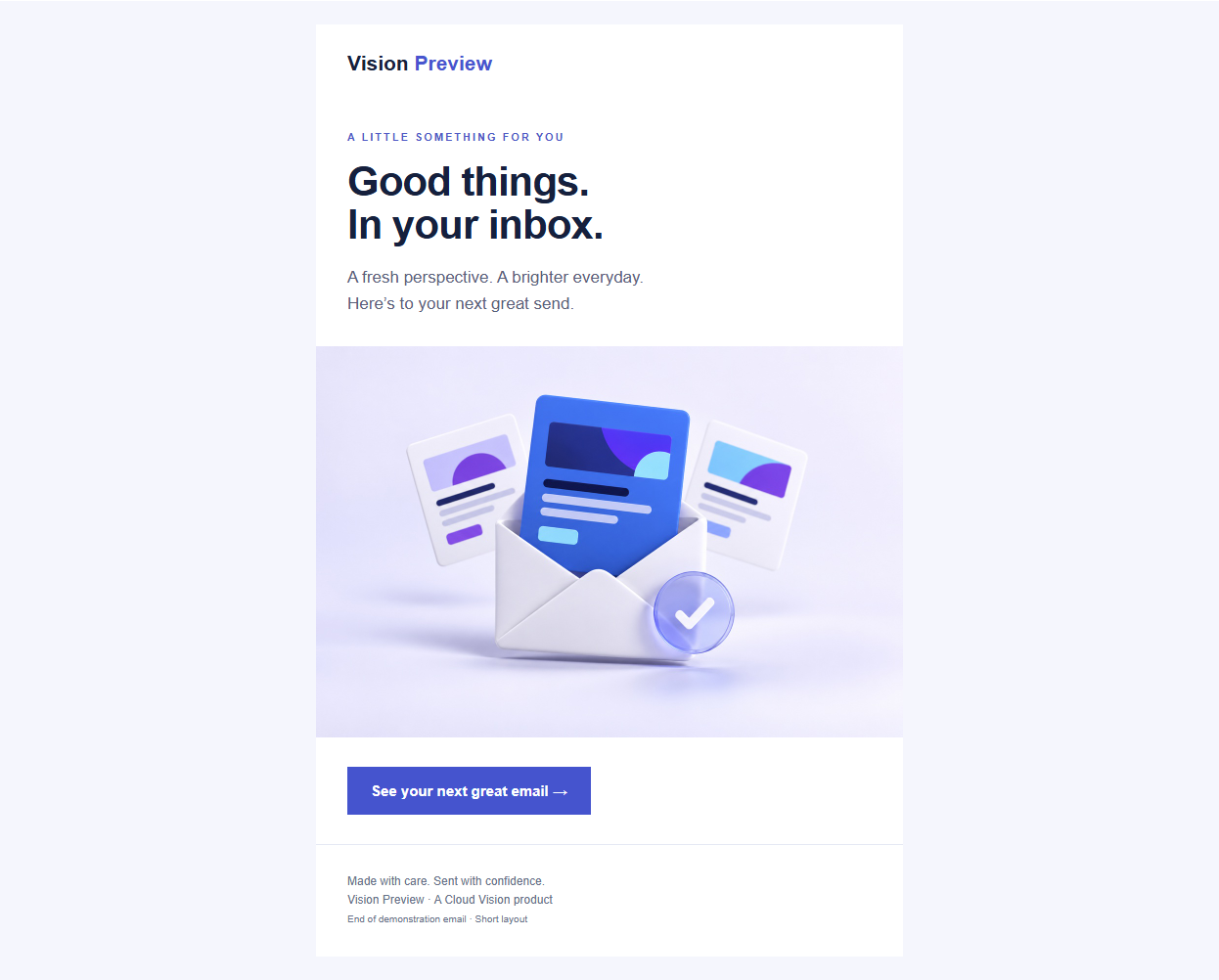
A SECOND SET OF EYES, ACROSS EVERY RENDER
Finished checking one screenshot, only to miss the gap in another? Click Run AI QA Checks and Vision Preview reviews all successful screenshots for that version together.
Review desktop, mobile, light and dark screenshots in a single on-demand check.
Surface likely alignment, spacing, clipping, overflow, awkward wrapping and broken-image issues with the affected client named.
Use clear findings as a review aid, then inspect the original screenshots and approve when your team is satisfied.
AI findings are advisory and can miss issues. They do not change the 100-point Pre-Checks score or replace human review.
Check the affected screenshots before approving this version.
The final character sits unusually close to the button edge. Check the original capture and increase horizontal padding if needed.
Spacing is visibly larger than in the other reviewed captures.
FROM FIRST PROOF TO FINAL SIGN-OFF
The proof. The conversation. The go-ahead. Bring them together, so nobody has to guess which version got the final yes.
An organisation member marks the exact version production-send ready. Generate a new version, and it needs its own sign-off.
Share a public link to captures, Pre-Checks and comments. Clients can add their name and leave feedback without creating an account.
Tag an organisation member in a comment. A branded HTML email brings the comment and a direct link to that version’s discussion to their inbox.
Approval is your team’s decision, even while other captures are pending. It never sends the email or guarantees delivery. Anyone with the public link can see the shared discussion; only organisation members can approve.
Updated the HTML and generated this version. The button now says “Explore the collection”. Ready from our side.
Your code on the left. A live desktop or mobile view on the right. Edit with HTML & CSS IntelliSense, reveal table borders and click a visual block to find its source.
<table role="presentation"> <tr> <td class="message"> Hello, beautiful. </td> </tr></table>A little more care.
A much better send.
Saving a draft is free. Generating a new version uses your normal preview allowance; existing captured versions stay unchanged.
Get a transparent 100-point checklist for HTML, links, assets, sender configuration and content signals. See every deduction, filter real issues and jump from supported HTML findings to the code.
Checks run when you open the private Pre-Checks tab. The score is a checklist, not an inbox-placement prediction or a spam-engine verdict. Missing evidence is never counted as a pass.
FITS THE WAY YOU ALREADY WORK
From your email platform to a clearer team decision.
Create a folder, choose its email clients and copy its unique test address or reusable API token.
Send a test from your email platform, or submit HTML through the API. Review each screenshot as it arrives.
Refine in Builder, review Pre-Checks and collect comments. When your team is happy, mark that version production-send ready.
MADE FOR THE REAL INBOX
Desktop, mobile and webmail, with light and dark variants where supported. Clear labels tell you exactly what produced each preview.
Classic Microsoft 365 Outlook and Outlook 2016, 2019 and 2021 currently display the Outlook LTSC 2024 capture as a labelled Word / mso engine reference. New Outlook displays the labelled Outlook on the web capture. These are shared-engine references, not separate captures of each version. Android applications run on Android emulators; Apple Mail runs on Apple hardware. Coverage can change; your folder’s client list is the current source of truth.
FOR THE PEOPLE WHO BUILD THE EMAILS
Take email testing from a manual step to part of your process. Submit your HTML, use your folder’s chosen clients, then poll for the screenshot URLs. Continue the review in the same Builder, Pre-Checks and Comments workspace.
API submissions use your organisation’s preview allowance. Enable the example’s clients in your folder before submitting.
curl https://vision-preview.com/api/v1/previews \
  -H "Authorization: Bearer $FOLDER_TOKEN" \
  -H "Content-Type: application/json" \
  --data '{
    "emailHTML": "<h1>Hello, beautiful.</h1>",
    "emailClient": {
      "gmail-web": true,
      "applemail-ios": true,
      "outlook-ltsc": true
    }
}'{
"previewGUID": "your-preview-id",
"previewPollCurl": "curl ..."
}curl \
https://vision-preview.com/api/v1/previews/$PREVIEW_GUID \
-H "Authorization: Bearer $FOLDER_TOKEN"{
"emailClient": {
"Gmail Desktop web": "https://…/gmail-web-light.png",
"Apple Mail iOS": "Pending",
"Outlook LTSC 2024": "Pending"
}
}Use the returned previewPollCurl. Keep polling while selected clients are pending, and handle failed results.
A PLAN FOR YOUR NEXT GREAT SEND
One plan for your organisation. A shared allowance for your team.
Free
Your first step to a better send.
See current render allowance
1 AI QA check per month
Start freeBasic
For a regular testing rhythm.
See current render allowance
10 AI QA checks per month
Get startedStandard
For teams with more to send.
See current render allowance
100 AI QA checks per month
Choose StandardEnterprise
A conversation about your needs.
Volume and limits agreed with you
Unlimited or custom AI QA checks per month
Talk to usPaid-plan prices and allowances load from our current billing catalogue. View your plan in the app.
One preview means one selected email client in one appearance. Light and dark each use one render. Automatic retries are free. AI Visual QA runs only when you click its button: one run reviews the completed screenshots for one version, and running it again uses another AI QA check. Allowances are shared across your organisation; hourly limits use a rolling 60-minute window. Monthly allowances do not roll over. Enterprise limits are agreed in your contract. Prices, when shown, are in USD; final charges are shown before purchase.
A FEW THINGS YOU MIGHT BE WONDERING
Something else on your mind?
Let’s talk
Yes. The interactive gallery contains actual captures of our own demonstration email, generated by Vision Preview on 5 October 2026. They are saved examples, not live renders or customer data. The workspace illustration at the top of this page is an illustrative mockup. Preview jobs capture your email inside the actual supported application: Apple Mail on Apple hardware, Android apps on Android emulators, and desktop and webmail clients in their respective environments. Where several Outlook labels share a capture, the results identify the underlying client and engine.
Yes. Share a public proof link so clients can view the captures, read Pre-Checks and leave comments. Guests enter a name, are labelled Guest, and can mention organisation members without seeing their email addresses. Mentioned members receive a branded email linking to the discussion. Anyone holding the link can see the shared comments and names, so do not use it for private team notes. Public guests cannot approve a version.
It records an organisation member’s approval of that exact version. Your team can approve even if some captures are pending or failed, based on the clients and requirements that matter to you. A newly generated version does not inherit the previous approval. This is a human sign-off—not an automatic send, a guarantee that every check passed, or a deliverability certification.
No. Its live browser view helps you edit HTML quickly, check responsive layouts and navigate from a visual block to its code. Save a private draft, then choose Generate previews to capture a new version in real email clients. Original proofs stay unchanged, and generating that new version uses your normal preview allowance.
It is a transparent 100-point checklist for supported HTML, link, asset, sender and content checks. Earned, deducted and unverified points are shown separately. Opening the private Pre-Checks tab runs eligible public link/image and sender checks, reusing recent results. Supported HTML findings can take you to their source. Sender authentication needs evidence from the actual sending platform; DNS records alone do not prove authentication. This is not an inbox-placement probability, SpamAssassin test or blocklist assessment. Public visitors see the available report without triggering external checks.
One click on Run AI QA Checks reviews all successful screenshots currently available for one email version and uses one check from your organisation’s monthly allowance. It never runs automatically. If a capture failed, the report tells you it was not analyzed. Running AI Visual QA again for that version uses another check. Its findings are advisory, stay separate from the 100-point Pre-Checks score and do not replace reviewing the original screenshots.
Yes. Each folder has a unique email address and saved email-client selection. Send a test to it from your platform and Vision Preview captures those clients. API submissions can use the same defaults or a subset. You can add clients to an individual proof without changing the folder, while its original source is available—retained for up to 30 days within the organisation’s source-storage allowance. Existing screenshots remain available when that source expires.
Timing depends on the client, the email’s length and images, the queue, and whether a rendering device needs to start. Screenshots appear as each client finishes, so you can begin reviewing available results while the others render. We don’t promise an identical completion time for every client.
Each selected client and appearance counts as one render: five selected clients use five renders, and light and dark count separately. Automatic retries, reopening screenshots and reselecting already-generated clients do not use extra renders. Adding a never-requested client or generating a new version uses the corresponding number of renders. API and email submissions share your organisation’s hourly and monthly allowances. Basic and Standard monthly usage resets on the Stripe subscription anniversary; Free resets on the first day of each month (UTC). Unused capacity does not roll over.
Create an organisation and invite your colleagues. Admins manage the organisation, members and billing. Users work with folders and previews. If you belong to multiple organisations, you can switch between them in the app.
Open a folder and copy its API example. Send your HTML and chosen email clients using the folder’s bearer token. You’ll receive a preview ID and polling command. Poll with the same token for image URLs as they become available, and check terminal failures. Keep your token private: it grants API access to that folder. Tokens do not expire automatically and can be rotated.
YOUR NEXT EMAIL DESERVES THIS
See the proof. Hear the feedback. Give the go-ahead.
Start previewing for free No credit card needed. Just your next great email.
Jordan Lee Guest
The mobile layout looks great. @Maya, can we make the button label a little clearer?